MicroPython Hardware
WiFi Manager for MicroPython (Pico W / ESP32)
Drop-in WiFi manager script for MicroPython microcontrollers. Captive portal AP mode when no network saved — connect, select SSID, save credentials to flash.
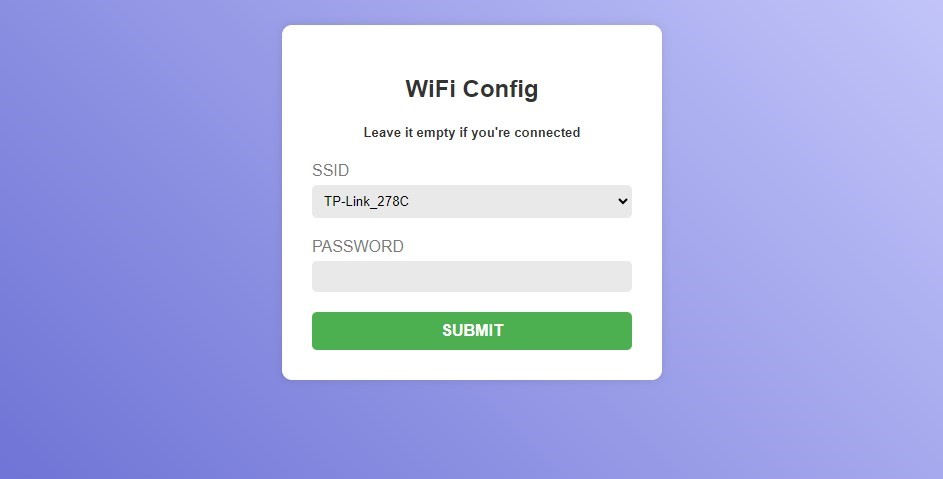
Drop-in WiFi management for MicroPython projects. On first boot (or when saved network is unavailable) the device starts an Access Point with a captive portal — user connects, selects SSID, enters password. Credentials saved to wifi_credentials.json on flash.
Features
- Stores up to 5 networks, connects to strongest available
- Checks connection every 20 seconds, auto-reconnects on drop
- AP mode resets after 120 seconds of inactivity
- Config portal built in HTML/CSS/JS — customizable
config_page.html - Optional TFT display integration
Usage
import wifimanager
wifimanager.connect_wifi()   # try saved networks
wifimanager.ap_mode()        # or start portal
boot.py in the repo shows the standard pattern: try connect → fallback to AP.
Tested on
- Raspberry Pi Pico W (RP2040 + CYW43439)
- ESP32 (generic + TTGO T-Display)
- MicroPython 1.20+
Used in CryptoDash Pico W for first-boot setup.